
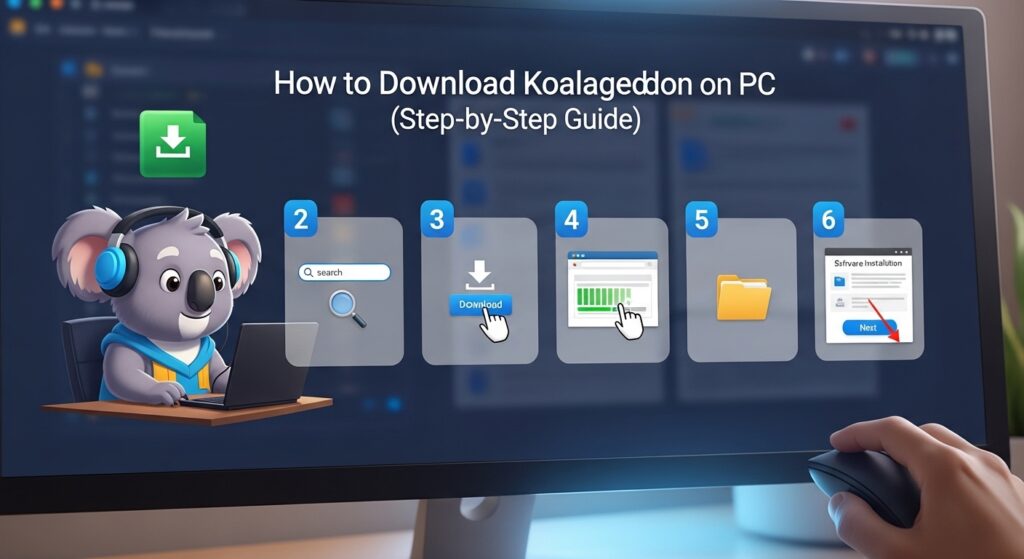
Koalageddon is a PC utility that has gained attention among gamers who want better control over downloadable content (DLC) management across different gaming platforms. Many PC gamers search for clear instructions on how to download and install Koalageddon correctly because improper installation can lead to errors or compatibility problems.
If you are new to this tool, the process might seem confusing at first. However, with the right instructions, installing Koalageddon on your PC becomes straightforward. This guide explains everything you need to know, including downloading the software, installing it on Windows, and configuring it properly so it works with supported game launchers.
What is Koalageddon?
Koalageddon is a system-level modification tool designed to interact with PC game launchers and manage how downloadable content is recognized by games. Instead of modifying individual game files, it works through platform hooks that intercept how certain checks are performed.
Because it operates at a system level, Koalageddon can interact with several popular PC gaming platforms. This approach allows the software to work across different games rather than requiring separate modifications for each one.
Many PC users choose this tool because it is lightweight and does not require heavy system resources. When installed correctly, it integrates with the operating system and works automatically in the background.
Supported Platforms for Koalageddon
One of the reasons Koalageddon has become popular is its compatibility with multiple gaming platforms. Instead of focusing on a single launcher, it can interact with several platforms commonly used by PC gamers.
The most commonly supported platform is Steam, which is widely used for distributing PC games and downloadable content. Koalageddon is also compatible with Epic Games Launcher in many versions. Some builds also support the EA App or similar launchers, although compatibility may vary depending on updates.
Since gaming platforms frequently update their security systems and software architecture, the compatibility of Koalageddon may change with different versions. For this reason, users should always check the latest release notes before installing the tool.
System Requirements for Installing Koalageddon
Before downloading Koalageddon, it is important to ensure that your computer meets the necessary requirements. While the tool itself is small and lightweight, it still relies on certain system components to function properly.
Koalageddon is primarily designed for modern Windows operating systems. Windows 10 and Windows 11 are generally supported and provide the most stable environment for installation. Older versions of Windows may not work correctly with the latest releases.
Administrative privileges are also required during installation. Since the tool installs system hooks and modifies platform interactions, Windows needs permission to allow those changes. Without administrator access, the installer may fail or the program may not function correctly.
Your PC should also have the relevant game launchers already installed if you plan to use Koalageddon with them. The software works alongside these platforms rather than replacing them.
How to Download Koalageddon on PC
Downloading Koalageddon is the first step in the installation process. It is important to obtain the software from reliable sources to avoid security risks or outdated versions.
Finding the Official Release
The safest way to download Koalageddon is by visiting its official release page or trusted developer repository. Developers usually publish the latest versions on development platforms where users can access release notes and download files directly.
These release pages typically contain information about the latest version, including updates, bug fixes, and compatibility improvements. Checking this information ensures that you are downloading the most stable and current build.
Downloading the Installation File
Once you locate the official release page, download the installer file provided by the developer. The software is usually available either as an executable installer or as a compressed archive containing setup files.
If the file is provided in archive format, you will need to extract it before running the installer. Windows includes built-in extraction tools, so you can simply right-click the file and choose the extraction option.
Verifying the Download
Before running the installer, it is recommended to verify the file. This step helps ensure that the file has not been modified or corrupted during download.
Many users run a quick antivirus scan on the downloaded file before installation. While system-level tools sometimes trigger warnings, verifying the file source helps confirm that the software is legitimate.
How to Install Koalageddon on Windows
After downloading the installation file, the next step is installing Koalageddon on your PC. The installation process is designed to be simple, but administrator permissions are required.
Running the Installer
Locate the downloaded installer file and run it with administrator privileges. Running the installer as an administrator allows the program to modify system components required for its operation.
Once the installer launches, a setup window will appear. This setup wizard guides you through the installation process and provides basic instructions on each step.
Completing the Setup Process
During the installation process, you may be asked to confirm the installation directory and accept the program’s terms or license agreement. Most users can continue with the default settings provided by the installer.
The installer will then copy the necessary files to your system and configure the required components. Since Koalageddon interacts with system-level processes, this step ensures the tool can integrate with your operating system.
Restarting the System
After installation is completed, restarting your computer is often recommended. Restarting ensures that any system hooks or background components are fully activated.
Without restarting, some features of the software may not work correctly because the system processes have not been refreshed.
Configuring Koalageddon After Installation
Once Koalageddon is installed, some basic configuration may be required before it starts working with your gaming platforms.
Enabling Platform Integration
Koalageddon usually includes a configuration interface where users can enable support for different gaming platforms. If you have multiple launchers installed, you can choose which ones the tool should interact with.
For example, if you primarily use Steam, you can enable Steam integration within the configuration panel. Users who play games from Epic Games may also enable that platform.
The configuration interface is designed to be simple so users can quickly adjust settings without complex technical knowledge.
Applying System Hooks
A key part of Koalageddon’s functionality involves system hooks that intercept certain platform checks related to downloadable content. These hooks allow the software to interact with the launcher environment when games are running.
When configuring the software, make sure the hooks are properly enabled. If the hooks are disabled, the tool will not be able to perform its intended functions.
Restarting Game Launchers
After changing configuration settings, it is recommended to close and reopen any game launchers currently running on your PC. Restarting the launchers ensures that they reload with the updated configuration applied by Koalageddon.
Checking if Koalageddon is Working
After completing installation and configuration, you should confirm that the tool is functioning properly.
Testing With a Supported Game
One way to check functionality is by launching a game from a supported platform. During startup, the game typically loads available downloadable content and other related features.
If the configuration is correct, the system hooks installed by Koalageddon should be active during this process.
Checking the Status Interface
Some versions of Koalageddon include a status panel or interface that displays active features. This panel may show whether platform integration is enabled and whether the system hooks are currently active.
Reviewing the status information can help confirm that the installation was successful.
Common Issues During Installation
Although the installation process is usually smooth, some users may encounter minor issues. Most of these problems can be solved quickly with simple adjustments.
Installer Does Not Start
If the installer does not launch, the issue is often related to missing administrator permissions or a corrupted download. Running the installer with administrator rights usually resolves the problem.
If the issue continues, downloading the installer again from the official source may help.
Platform Not Detecting Changes
In some cases, a gaming platform may not immediately recognize the changes made by the tool. Restarting the platform or restarting the computer usually resolves this issue.
Software updates from gaming platforms can also temporarily affect compatibility, so keeping Koalageddon updated is important.
Safety Considerations Before Using Koalageddon
Because Koalageddon interacts with system-level processes, users should understand potential risks before installing it.
Antivirus software may occasionally flag system-level utilities because of how they interact with operating system components. Verifying the source of the download is the best way to ensure safety.
Users should also review the policies of their gaming platforms regarding third-party software. Different platforms have different rules regarding modifications and external utilities.
Being aware of these factors helps prevent potential issues with accounts or system stability.
Conclusion
Downloading and installing Koalageddon on PC is a relatively simple process when you follow the correct steps. By obtaining the installer from a trusted source, running it with administrator privileges, and configuring the supported platforms properly, users can set up the tool without major complications.
Since gaming platforms frequently update their systems, it is important to stay informed about compatibility changes and download the latest versions when updates become available.
With proper installation and configuration, Koalageddon can integrate smoothly with your PC gaming setup and operate quietly in the background while you play supported games.